

Create Purple Month Planner with Notes Lines
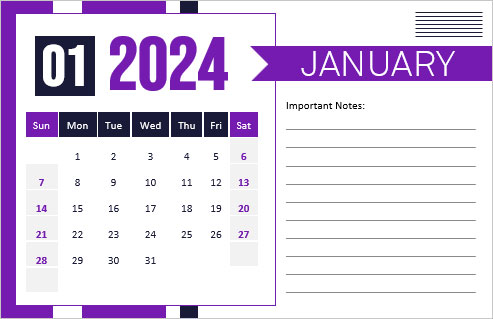
A one-page month planner with a big purple day number, a tidy grid of dates and a column of ruled lines headed “Important Notes”. Choose the month and year, rename the heading if you like and print.
Fill in the information below
New here? Use the button above to fill in an example, then change it to your own details.
Rate this template
Used it? Tap a star. Honest ratings help others choose.
Other Similar Templates
More designs from the same collection, Free Printable Calendars and Planners. If this one is not quite what you need, one of these may be.


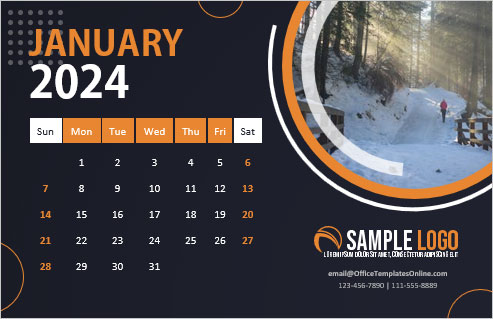
A planner you can write on
Many calendars are mostly decoration. This one gives about half of the page to ruled lines, so you can jot down birthdays, bills to pay, appointments or the week your project is due, and still see the whole month at a glance.
Three things you can set
- Month from a drop-down list.
- Year from a second list.
- Notes heading, which reads “Important Notes” by default but can say “Bills”, “Shifts”, “Exam dates” or “Meal plan” instead (up to 36 characters).
There is no photo or logo on this version, which keeps the page light and quick to print.
Ways people use it
- A student writes exam dates on the lines and ticks off revision days.
- A shift worker notes rotas.
- A parent keeps school events and club nights in one place.
- A small team prints one per month and pins it by the door.
Good to know
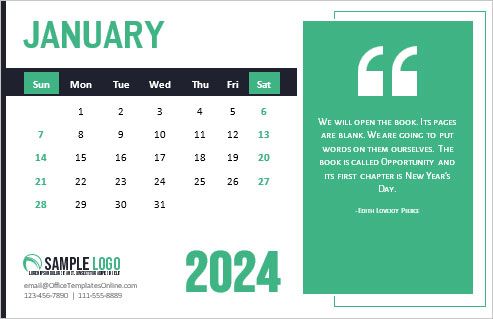
The page is 5.5 by 8.5 inches in landscape, so it fits a clipboard or planner pocket. The Sunday and Saturday columns are picked out in colour, which helps you scan the week.
Quick answers
Can I leave the notes lines blank?
Yes. The lines are meant to be filled by hand after printing.
Does it start the week on Sunday?
Yes, Sunday is the first column, as shown in the preview.